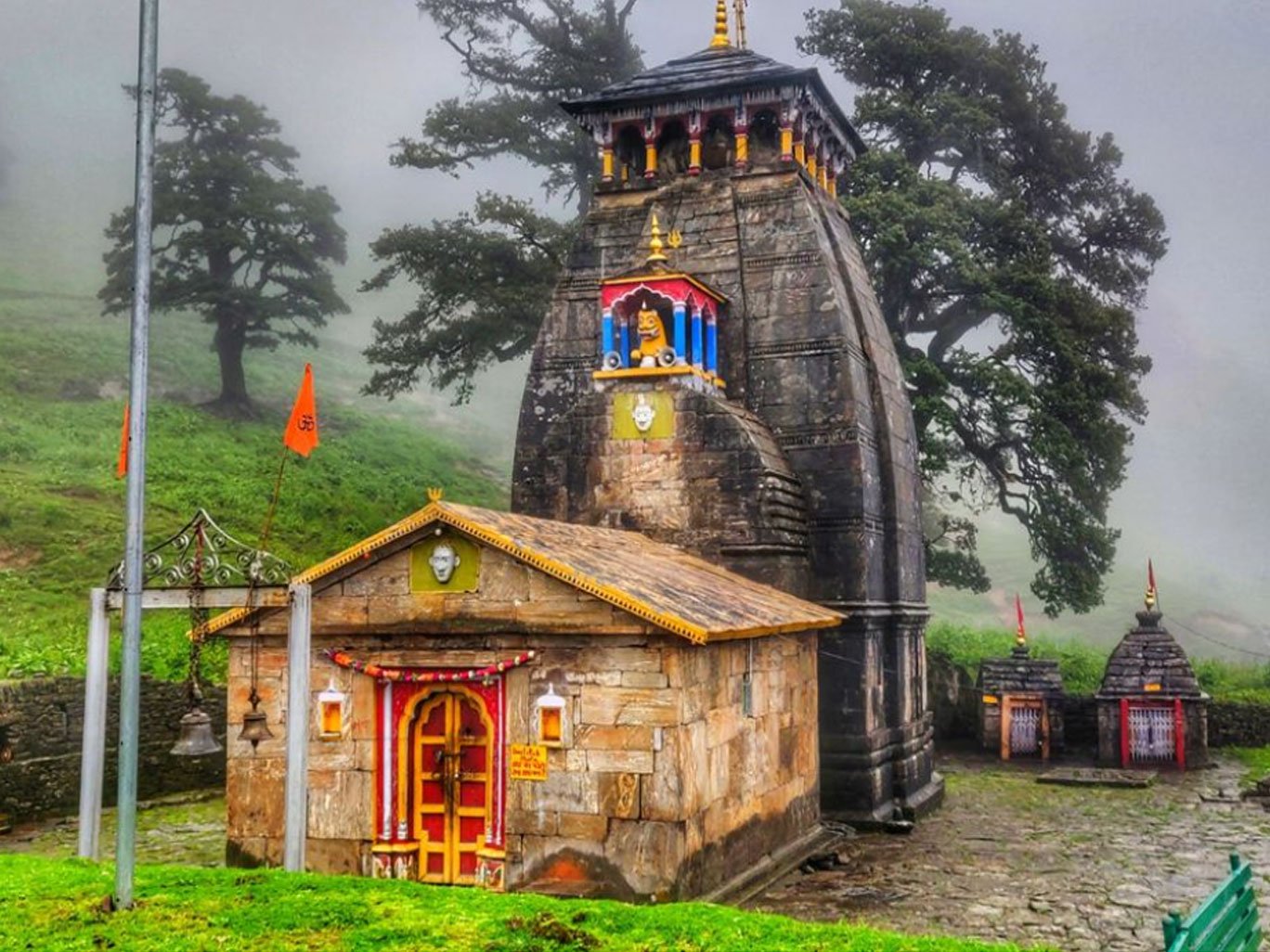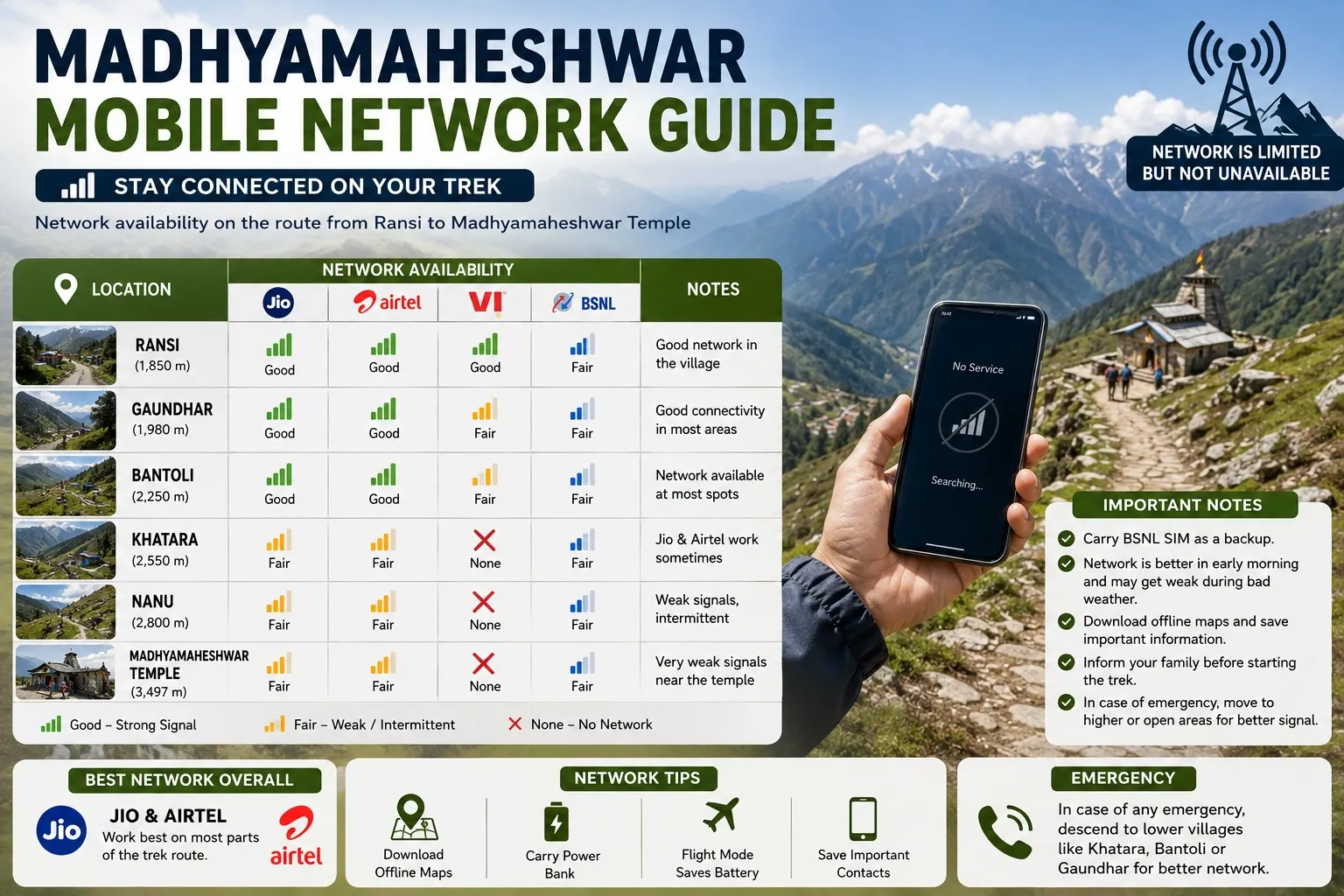
One of the most important things to know before starting the Madhyamaheshwar Trek is that you should not expect continuous mobile network or internet access.
Connectivity becomes progressively weaker as you travel from Ukhimath toward Ransi and enter the trekking route. Once you move deeper into the mountains, mobile data, calls and UPI payments can become unreliable or completely unavailable.
For most travellers, the practical approach is simple: complete important calls, payments, downloads and communication before leaving the better-connected lower areas, and prepare to remain offline during significant portions of the trek.
Network conditions in the Himalayas can change with weather, tower status, terrain and season, so no operator should be treated as guaranteed at a particular spot.
Is Mobile Network Available on the Madhyamaheshwar Trek?
Yes, but only in parts of the journey.
Ukhimath generally provides the most dependable connectivity before you move toward the trek base. Ransi can still receive mobile signals, although performance may be weaker or inconsistent.
Once the trek starts and you move through Gaundar, Bantoli, Khatara and Nanu toward Madhyamaheshwar Temple, reliable connectivity should not be expected.
A useful rule is:
Ukhimath = use your phone normally
Ransi = complete your final important online tasks
Beyond Ransi = be prepared to travel offline
TourMyHoliday's dedicated field guide on network availability similarly reports progressively weaker connectivity after Ransi, with Bantoli and the higher trail becoming largely unreliable.
Madhyamaheshwar Network Coverage at a Glance
Location | Jio | Airtel | BSNL | Internet Expectation |
|---|---|---|---|---|
Ukhimath | Generally available | Generally available | Generally available | Best opportunity for mobile data |
Ransi | Weak/variable | Variable | Variable | Do not depend on high-speed data |
Gaundar | Unreliable | Unreliable | Possible intermittent signal | Prepare to be offline |
Bantoli | Usually unreliable | Usually unreliable | Occasional signal may be possible | Do not depend on data |
Khatara | Very unreliable | Very unreliable | Unreliable | Offline preparation essential |
Nanu | Very unreliable | Very unreliable | Unreliable | Assume no dependable internet |
Madhyamaheshwar | Unreliable/absent | Unreliable/absent | Unreliable/absent | Assume you will be offline |
Important: This table should be treated as a practical expectation rather than a guaranteed coverage map. Mountain signals can change significantly depending on weather, tower operation, terrain and your exact position.
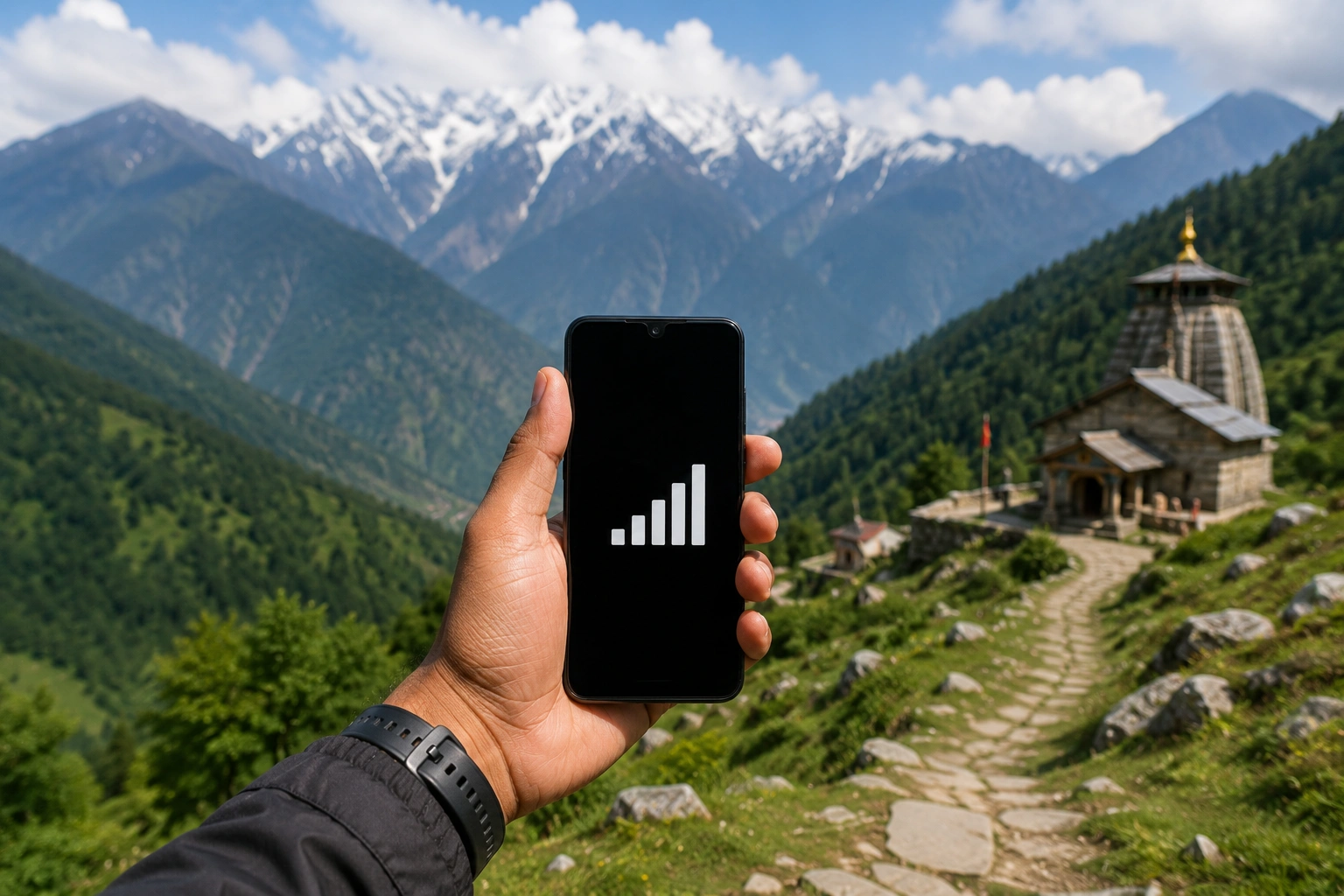
Jio Network on the Madhyamaheshwar Trek
Jio users should complete important internet-based tasks before beginning the trek.
Connectivity is generally much more practical around Ukhimath. Around Ransi, signal availability can become inconsistent.
Once you move farther into the trekking trail, do not plan your journey assuming that Jio mobile data will remain available.
That means you should not depend on Jio for:
Google Maps during the trek
WhatsApp calls
Video calls
UPI payments
Hotel bookings
Online tickets
Cloud documents
Social media
Emergency communication
Keep screenshots and offline copies of anything important.
Airtel Network on the Madhyamaheshwar Trek
Airtel follows a broadly similar pattern.
You may have usable connectivity in the lower, road-connected areas and variable service around Ransi, but the signal becomes much less dependable once you move into the main trekking route.
A phone showing one or two signal bars also does not necessarily mean usable internet.
You may occasionally get enough signal for a call or message while mobile data remains too slow to use.
For that reason, do not treat an intermittent Airtel signal as dependable connectivity.
BSNL Network on the Madhyamaheshwar Trek
BSNL is worth carrying as a secondary SIM because it can sometimes provide coverage in remote Himalayan areas where private networks become unavailable.
TourMyHoliday's current network guide considers BSNL the most useful of the three networks along parts of the route, while still making clear that even BSNL becomes unreliable in the higher sections.
That distinction is important.
“Best available network” does not mean “reliable network.”
Even with BSNL, you should prepare for long sections with:
No mobile data
Failed calls
Delayed SMS
Intermittent signal
Complete network loss
Carrying a second SIM can improve your chances of getting a signal, but it should not replace offline preparation.
Mobile Network in Ukhimath
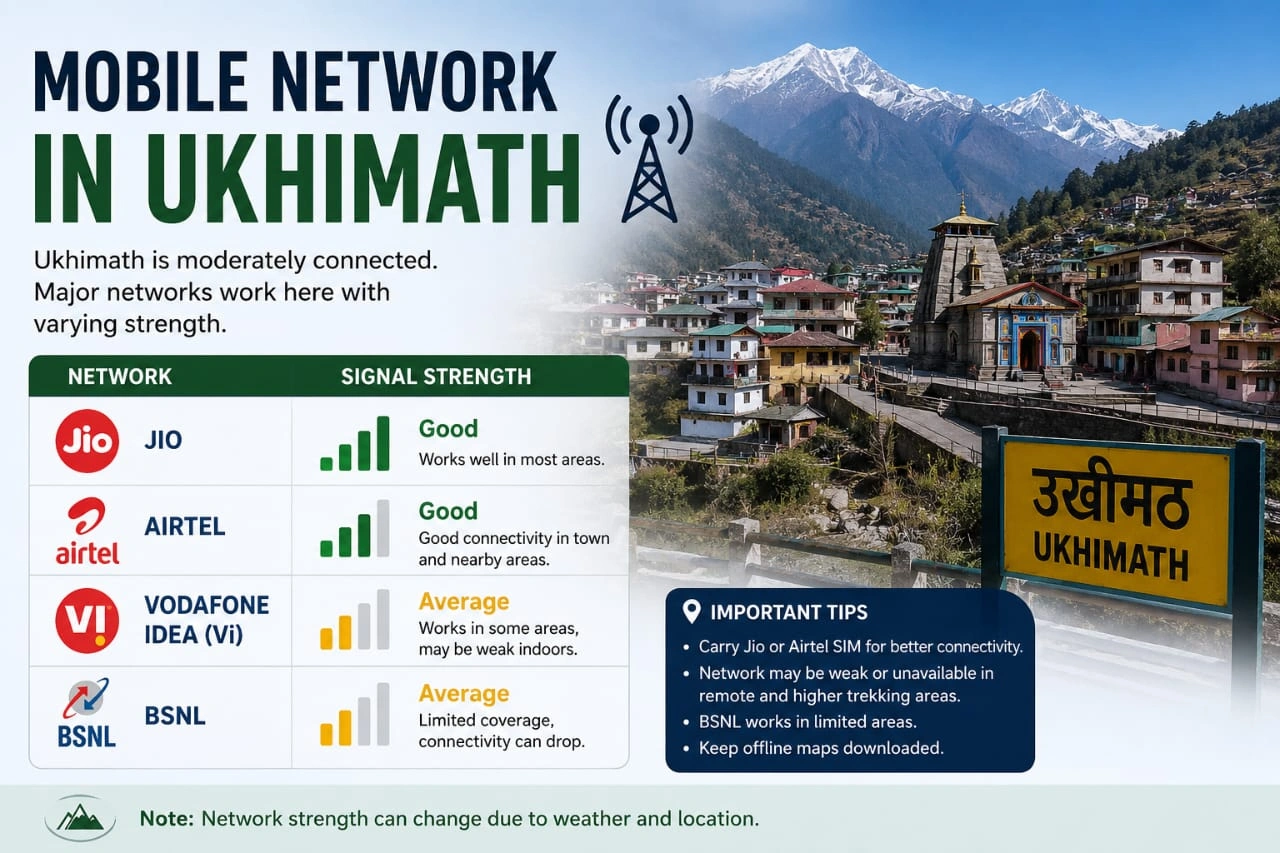
Ukhimath is the best place to finish tasks that require reliable connectivity.
Before travelling onward, use the opportunity to:
Call family
Download offline maps
Save booking confirmations
Download tickets
Save hotel details
Download important documents
Take screenshots of payment receipts
Download music or entertainment
Inform emergency contacts about your itinerary
Ukhimath is also a better place to complete digital payments and other online transactions before moving into the less-connected parts of the journey.
The site's accommodation guide similarly identifies Ukhimath as having comparatively stable mobile connectivity before travellers enter the low-network trekking region.
Mobile Network in Ransi
Ransi is the practical starting point of the Madhyamaheshwar Trek and should be treated as your final connectivity checkpoint rather than a guaranteed high-speed internet location.
The main site identifies Ransi as the last motorable village and notes comparatively better network availability here than farther along the trek.
Before leaving Ransi:
Make your final calls
Message family
Confirm your next accommodation
Save your guide/operator contact
Download maps
Screenshot your itinerary
Put your phone into battery-saving mode
Check that your power bank is fully charged
If you need to contact someone urgently, do it before beginning the walking section.
Mobile Network in Gaundar
Gaundar is farther inside the trekking route, where connectivity should be considered unreliable.
Do not plan to reach Gaundar and then make important calls, transfer money or download something you forgot.
Even when your phone briefly detects a network, the connection may not remain stable enough for data or a long call.
Use any available signal as a bonus rather than part of your travel plan.
This is particularly important if you are staying overnight around Gaundar. Download anything you need before leaving Ransi.
Mobile Network in Bantoli
Bantoli is where travellers should become particularly conservative about connectivity expectations.
TourMyHoliday's current network guide reports Jio and Airtel as effectively unavailable around Bantoli, while BSNL may occasionally pick up weak signal in some locations.
That does not mean you should walk around looking for a signal.
At this point, battery conservation is more valuable than repeatedly forcing your phone to search for a network.
If there is no signal, use airplane mode.
This can significantly reduce battery drain.
Mobile Network in Khatara
Khatara lies deeper along the trail where dependable mobile connectivity should not form part of your travel plan.
Assume that:
Calls may not connect
WhatsApp may not work
Mobile data may be unavailable
UPI may fail
Live location sharing may stop updating
If your family is tracking your journey through WhatsApp or Google Maps, explain this before starting.
Otherwise, a long period without location updates can cause unnecessary concern.
Mobile Network in Nanu
At Nanu Chatti, travellers should similarly prepare for intermittent or absent connectivity.
This is particularly important because your phone may repeatedly search for a tower when signal strength is poor.
Constant network searching can drain the battery much faster than normal city use.
Use airplane mode when necessary and switch the network back on only when you specifically want to check for signal.
Your phone should primarily be treated as:
Camera
Offline map
Torch backup
Stored emergency-information device
Clock
rather than a continuously connected smartphone.
Mobile Network at Madhyamaheshwar Temple
Do not expect dependable Jio, Airtel or BSNL connectivity at Madhyamaheshwar Temple.
The temple is situated deep within mountainous terrain at approximately 3,497 metres, far from normal urban telecom infrastructure.
TourMyHoliday's network assessment similarly reports no dependable mobile coverage at the temple.
Inform family beforehand that you may remain unreachable.
A simple message before leaving Ransi can prevent unnecessary concern:
“I am starting the Madhyamaheshwar Trek now. Mobile network is unreliable ahead, so I may not be reachable until I return to a network area.”
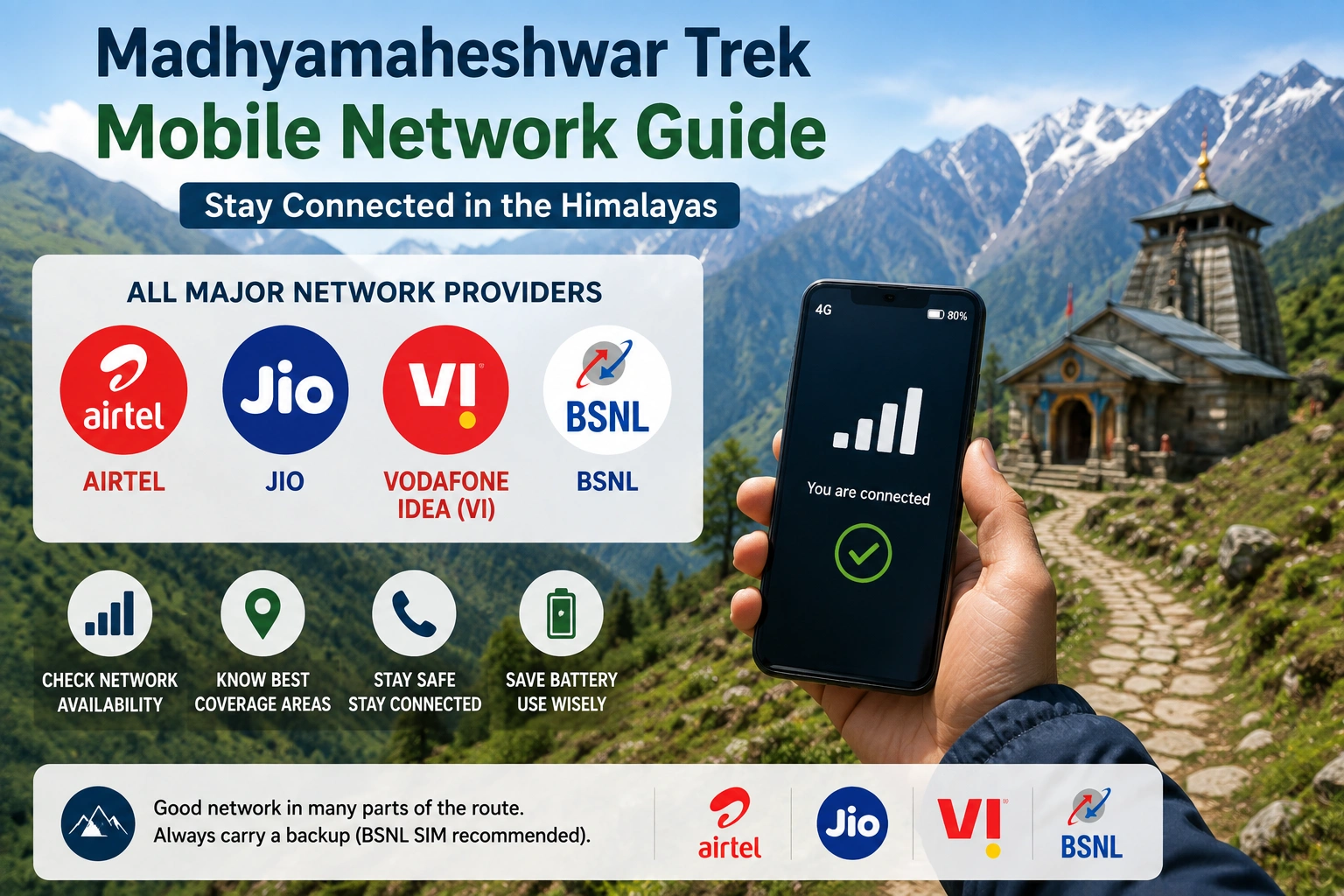
Which SIM Is Best for Madhyamaheshwar?
If possible, carry two networks rather than relying on one.
A practical combination is:
Primary SIM: Your normal Jio or Airtel connection
Secondary SIM: BSNL
The purpose of carrying BSNL is not to guarantee internet access. It simply gives you another network to try when your primary SIM has no coverage.
Do not purchase a SIM solely because someone claims it will work throughout the entire trek.
No mobile network should be treated as guaranteed across the complete Madhyamaheshwar trail.
Is Internet Available on the Madhyamaheshwar Trek?
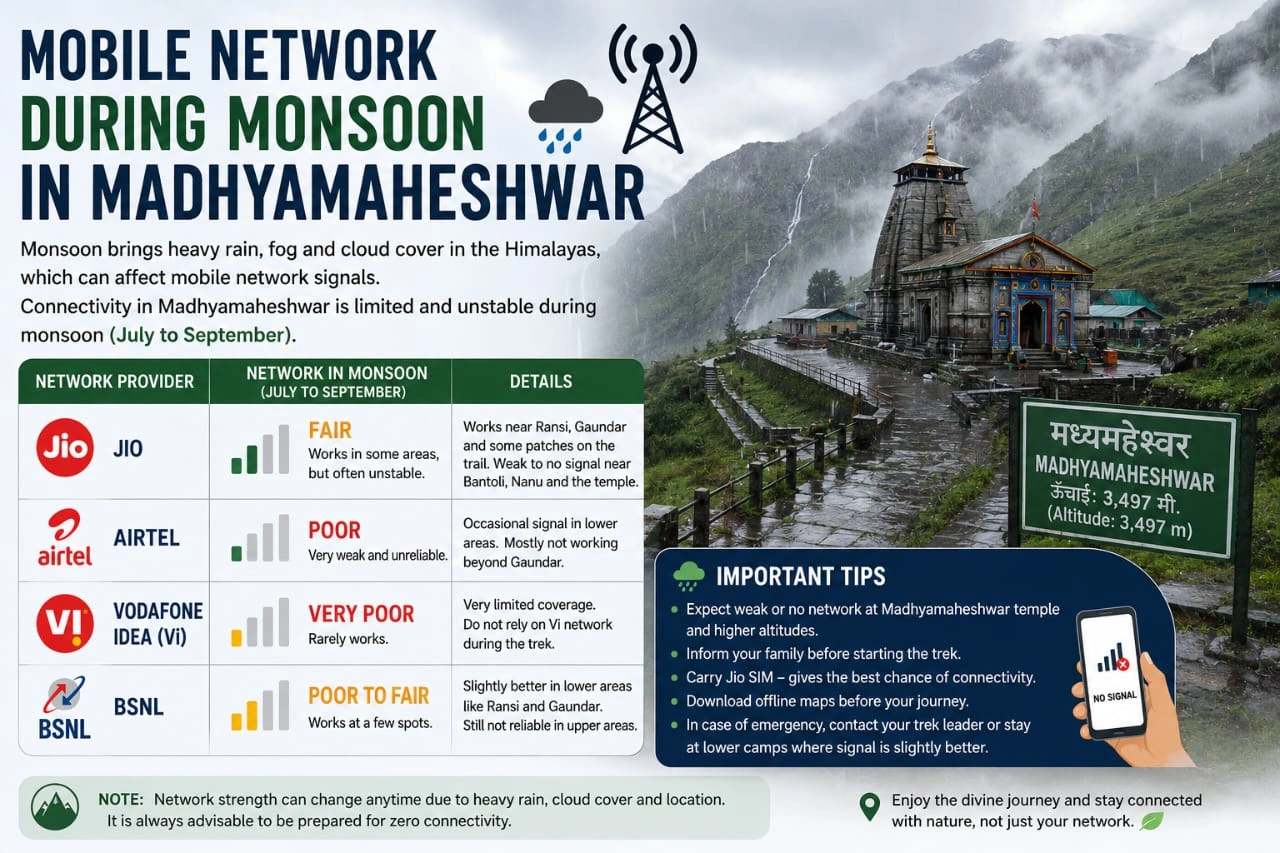
Reliable mobile internet should not be expected after the lower sections of the journey.
Even when your phone displays network coverage, usable mobile data may not be available.
Activities that can become difficult include:
Sending photographs
Uploading Instagram stories
Video calls
Opening cloud files
Loading websites
Streaming music
Downloading maps
Making online reservations
Download everything important beforehand.
Is Wi-Fi Available?
Do not plan the Madhyamaheshwar Trek around Wi-Fi availability.
Accommodation along the upper trail is basic, and reliable broadband infrastructure should not be expected.
Even if a particular homestay occasionally provides connectivity, it may depend on a mobile hotspot or another unstable connection.
Treat Wi-Fi as an unexpected convenience rather than a promised facility.
Does UPI Work on the Madhyamaheshwar Trek?
UPI requires a functioning data connection for normal transactions, making it unreliable in low-network areas.
The accommodation information on Madhyamaheshwar.com specifically advises carrying physical cash because connectivity deteriorates as travellers move beyond the better-connected lower areas.
Carry cash for:
Food
Tea and snacks
Homestays
Local guide
Porter
Pony or mule
Small personal purchases
Emergency expenses
Do not keep your complete travel budget dependent on Google Pay, PhonePe, Paytm or another UPI application.
Where Should You Withdraw Cash?
Complete your cash arrangements before entering the trekking route.
Do not assume that you will find an ATM after reaching Ransi or along the walking trail.
TourMyHoliday's Madhyamaheshwar package information similarly advises travellers to manage cash around Ukhimath or Rudraprayag because ATMs are not available along the trekking section.
Keep smaller denominations where possible because local establishments may not always have change for large notes.
Phone Charging and Electricity
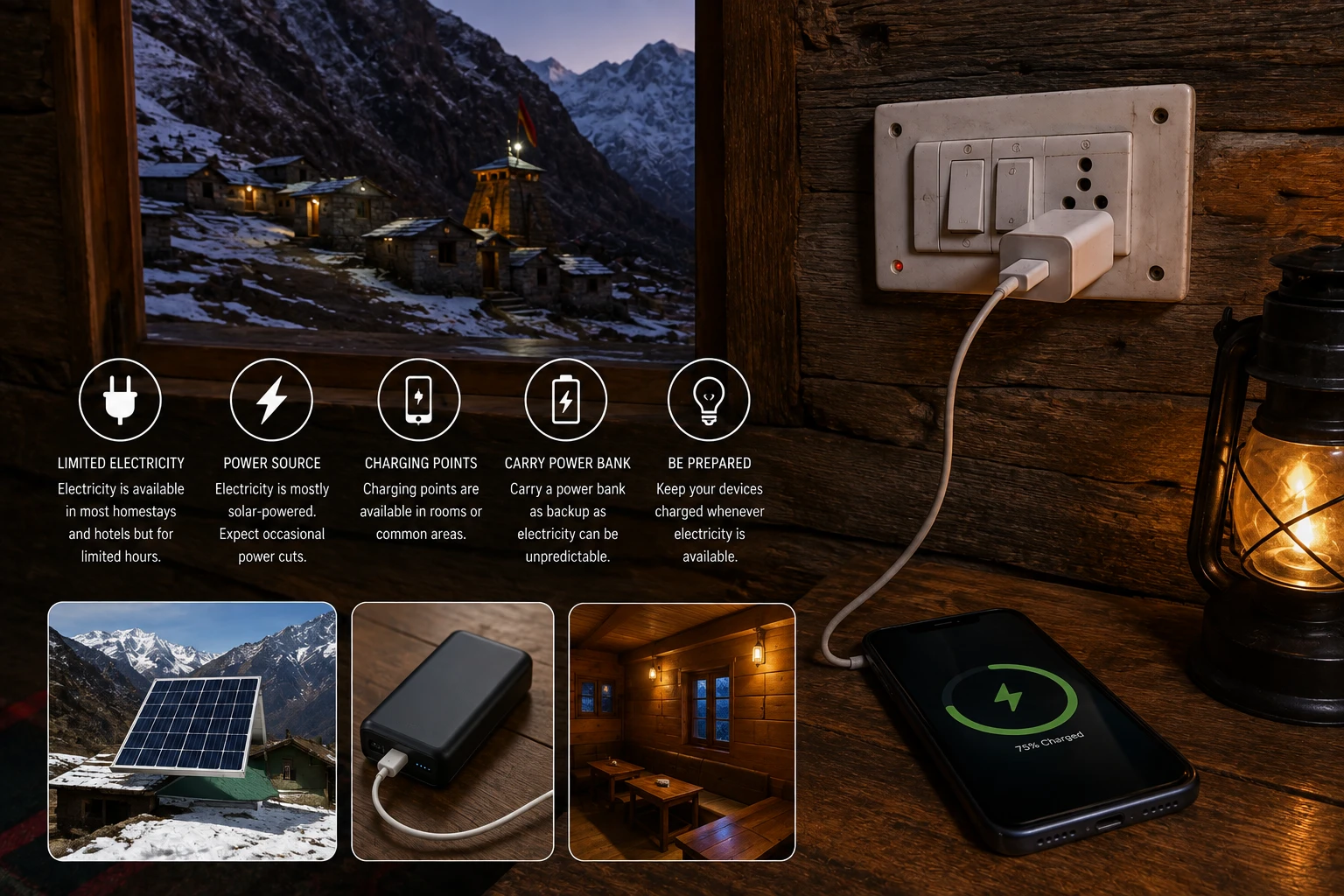
Network is only half the problem.
You also need to manage battery life.
Electricity and charging become more limited as you move into the remote sections of the trek. Some accommodation may depend on limited or solar electricity.
Carry at least one reliable power bank.
Battery-saving measures include:
Reduce screen brightness
Enable battery saver
Disable Bluetooth when unnecessary
Turn off automatic app updates
Disable background refresh
Stop automatic photo backups
Use airplane mode in no-network zones
Avoid repeatedly searching for signal
Keep the phone warm during cold nights
Cold temperatures can also reduce apparent battery performance.
What Should You Download Before Leaving Ransi?
This is one of the most important parts of your preparation.
Download or screenshot:
Offline Maps
Download the relevant Google Maps area before leaving the network zone.
Do not rely solely on live navigation.
Accommodation Information
Save:
Property name
Contact number
Booking confirmation
Location
Amount already paid
Trek Information
Keep screenshots of important trail information.
For deeper trail planning, use the site's Madhyamaheshwar route resources before leaving network coverage rather than trying to load them on the trail.
Emergency Contacts
Save important numbers directly in your phone contacts and also write critical contacts somewhere offline.
Identification
Keep physical identification with you.
A digital copy stored locally on your phone can serve as an additional backup.
Tickets
Download bus, train and flight tickets rather than leaving them accessible only through email or an app requiring internet.
Do Not Depend on Live Location Sharing
WhatsApp and Google Maps live-location features require data connectivity.
Once your phone loses internet access, your location may stop updating.
This does not necessarily mean anything has gone wrong.
Before starting the trek, tell family:
When you are leaving Ransi.
Where you expect to stay.
When you expect to return to a network area.
Who your local contact or operator is.
This is considerably more useful than promising continuous live-location updates that the network cannot support.
What About Mobile Network During Monsoon?
Network reliability can become even more unpredictable during bad weather.
The site's dedicated monsoon guide notes that mobile connectivity is particularly unreliable along the trail and that heavy rain or thunderstorms can further disrupt communication.
Do not treat your phone as your only safety system during difficult weather.
If you are travelling during the rainy season, check the detailed Madhyamaheshwar monsoon guide before departure.
Emergency Communication Without Mobile Network
A lack of network changes how you should prepare for emergencies.
The most practical safeguards are:
Trek with others where possible
Inform someone about your itinerary
Use local guides when appropriate
Keep emergency information offline
Do not separate unnecessarily from your group
Tell your accommodation where you are heading
Keep buffer time in your itinerary
Do not assume that you can simply call for help from every section of the trail.
This is one reason local knowledge remains valuable on remote Himalayan routes.
Mobile Network Checklist Before Starting the Trek
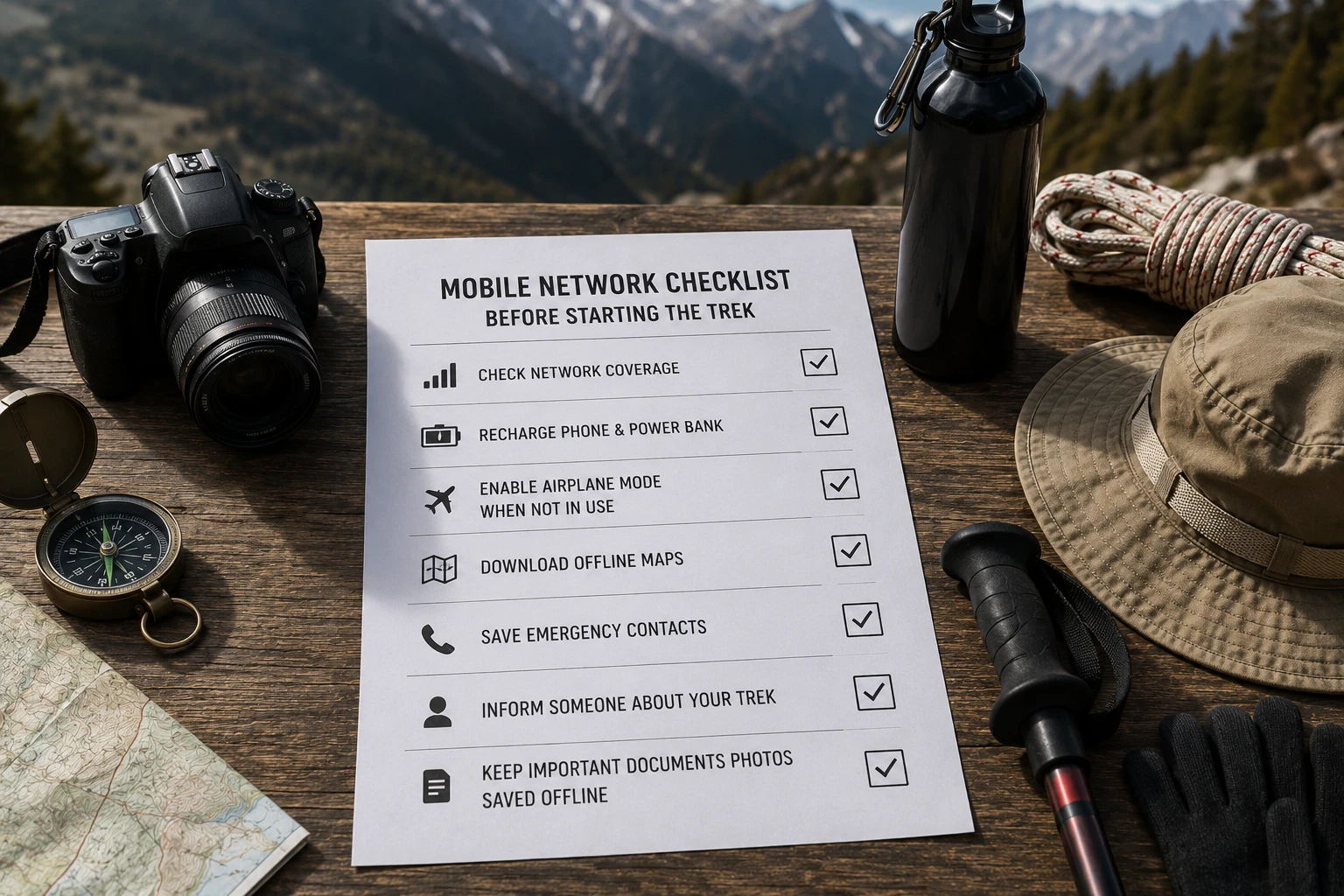
Before leaving Ransi, check:
Family informed
Offline Google Maps downloaded
Hotel details saved
Trek itinerary screenshot
Emergency contacts saved offline
Train/flight/bus tickets downloaded
Important documents downloaded
Cash carried
Phone fully charged
Power bank fully charged
Charging cable packed
Battery saver enabled
Second SIM available if required
More Detailed Jio, Airtel & BSNL Coverage Information
Travellers who want another route-specific assessment can read TourMyHoliday's detailed Network Availability on Madmaheshwar Trek – Jio, Airtel & BSNL Reality.
It provides a separate operator-by-operator view of connectivity around Ukhimath, Ransi, Bantoli and the upper trekking route.
Frequently Asked Questions
Does Jio work in Madhyamaheshwar?
Jio can work in the lower parts of the journey, particularly around Ukhimath, but becomes unreliable as you move toward and beyond Ransi. Do not expect dependable Jio connectivity at Madhyamaheshwar Temple.
Does Airtel work on the Madhyamaheshwar Trek?
Airtel can provide connectivity in lower areas and may work intermittently around Ransi. Beyond the trek base, reliable coverage should not be expected.
Does BSNL work in Madhyamaheshwar?
BSNL can sometimes provide better remote-area coverage than private operators, but even BSNL should not be considered reliable throughout the Madhyamaheshwar Trek.
Is there mobile network at Ransi?
Mobile network can be available at Ransi, but signal strength and mobile-data performance can vary. Complete important online tasks before beginning the trek.
Is there mobile network at Gaundar?
Connectivity around Gaundar can be weak or intermittent. Travellers should prepare to be offline rather than depending on calls or mobile data.
Does mobile network work at Bantoli?
Reliable Jio and Airtel coverage should not be expected around Bantoli. Weak or intermittent BSNL signal may occasionally be possible, but it should not be relied upon.
Is there network at Khatara?
Dependable connectivity should not be expected at Khatara. Download essential information and inform family before leaving Ransi.
Is there network at Nanu Chatti?
Network availability can be weak, intermittent or absent around Nanu Chatti. Keep your phone in battery-saving or airplane mode when there is no usable signal.
Is there internet at Madhyamaheshwar Temple?
Reliable mobile internet should not be expected at the temple. Prepare to remain offline during your stay.
Does UPI work on the Madhyamaheshwar Trek?
UPI cannot be relied upon because mobile data becomes unreliable. Carry sufficient cash before entering the trekking route.
Is Wi-Fi available near Madhyamaheshwar Temple?
Reliable Wi-Fi should not be expected. Accommodation in the higher sections is basic and connectivity infrastructure is limited.
Which SIM should I carry for the Madhyamaheshwar Trek?
Using your normal Jio or Airtel SIM with BSNL as a secondary option can provide more chances of finding a signal, but none should be considered guaranteed throughout the trek.
Final Advice
The most useful way to think about mobile connectivity on the Madhyamaheshwar Trek is not “Which network works everywhere?” but “How should I prepare when none of them works?”
Use Ukhimath and Ransi to complete important calls, downloads, payments and communication. Once you start moving through Gaundar, Bantoli, Khatara and Nanu toward Madhyamaheshwar, expect connectivity to become progressively less dependable.
Carry cash, download maps, save your bookings offline, keep a charged power bank and tell family when you expect to return to a connected area.
If a signal appears along the trail, use it when needed. But your safety, navigation and payment plans should never depend on it.